Seedream 5.0 model launch
Seedream 5.0 Launch: What Changed and How to Prompt It
Use Seedream 5.0 Pro in Meigen for text-to-image and reference-image editing. This guide separates controls verified in Meigen from capabilities documented by ByteDance and workflow patterns observed on an independent competitor page.
Generate Seedream 5.0 ProCopy Seedream 5.0 Templates
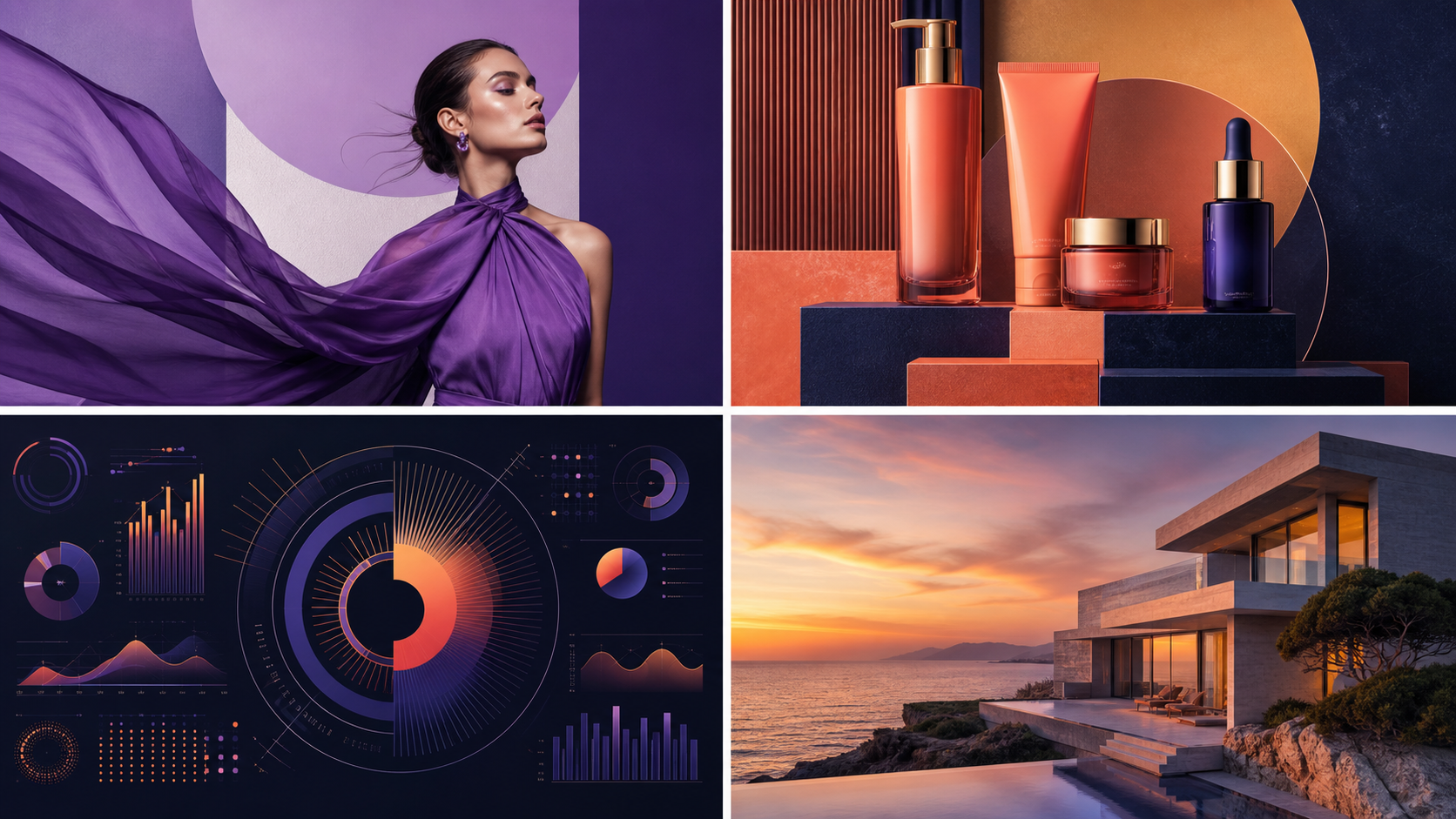
Original case-study artwork generated with GPT Image 2 for Meigen AI, based on the task categories demonstrated in ByteDance Seed's official showcase.
Seedream 5.0 Examples by Creative Team
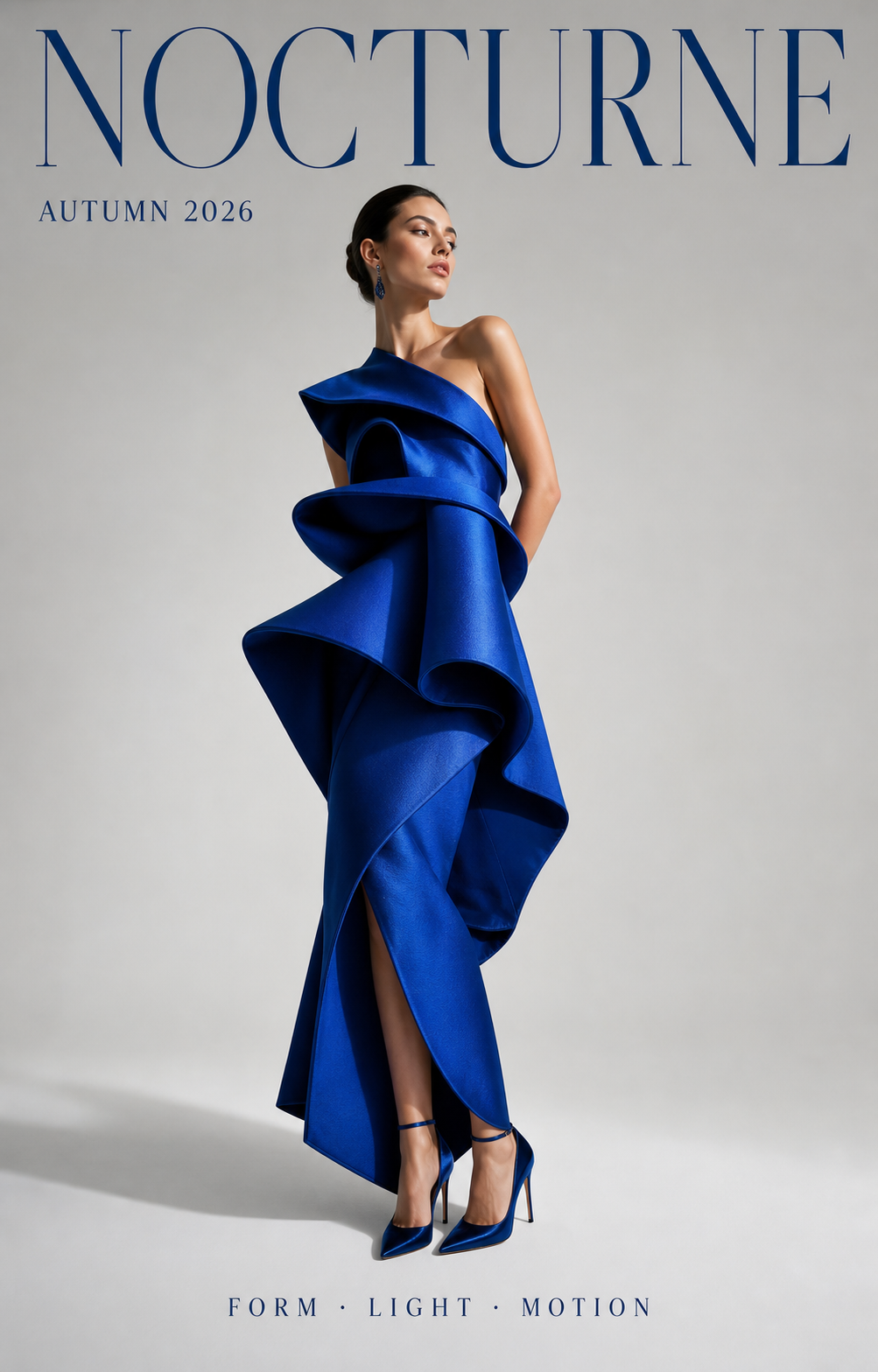
The independent competitor gallery repeatedly uses fashion posters, cinematic portraits, magazine-style typography, and comparison visuals. These original GPT Image 2 examples expand that pattern into concrete jobs for campaign, portrait, and hospitality teams.
Fashion and campaign teams
Fashion poster with readable type
Build launch posters, lookbook covers, event graphics, and social campaign art where the model, garment, headline, and supporting copy must share one clear hierarchy.

Portrait photographers and creators
Cinematic portrait with warm depth
Use a portrait brief that defines subject, lens feeling, light direction, skin texture, background separation, expression, and color grade instead of relying on a generic style label.

Restaurants and hospitality teams
Menu design with structured copy
Create menu covers, seasonal inserts, table cards, and food promotions by specifying the exact item names, prices, typographic hierarchy, photographic anchor, and amount of whitespace.
Seedream 5.0 Launch Summary
ByteDance's official Seedream 5.0 Lite material is the primary capability source for this guide. The independent Seedream site is used only to identify useful product-page patterns such as model selection, text-to-image and image-to-image modes, aspect ratio, format, generation history, and example galleries.
1
The available Meigen model is Pro
Meigen routes Seedream 5.0 Pro prompts to KIE's seedream/5-pro text-to-image or image-to-image model, depending on whether you add reference images.
2
Official Seedream capabilities set the evidence base
ByteDance describes Seedream 5.0 Lite as a unified multimodal image model with deep thinking and online search capabilities, plus improvements in understanding, reasoning, and generation.
3
The official examples are task-focused
ByteDance demonstrates layout control, reference-guided editing, information visualization, product detail pages, posters, educational graphics, and style transfer.
4
Meigen keeps controls practical
Choose text-to-image or add up to 10 references, set an allowed aspect ratio, select PNG or JPEG, and generate at the 1K or 2K quality currently exposed by Meigen.
What Is New in Seedream 5.0?
ByteDance describes Seedream 5.0 Lite as a unified multimodal image generation model with deep thinking and online search capabilities. Its official examples emphasize intent understanding, information visualization, precise style transfer, advanced editing, and complex multi-subject instruction following.
Information-rich visuals
The official showcase includes charts, educational diagrams, mind maps, annotated images, and product detail layouts. Give every information block a clear role and hierarchy.
Precise reference editing
ByteDance demonstrates local edits, subject replacement, focus changes, lighting changes, and style transfer while keeping unrelated areas stable. State both the change and the elements to preserve.
Complex instruction following
Official examples combine multiple subjects, spatial relationships, colors, quantities, times, and layout rules. Use a numbered brief when several constraints must all survive.
Campaign-ready composition
Official examples cover e-commerce detail pages, posters, stickers, and presentation graphics. Define the asset type, audience, visual hierarchy, palette, and required copy before describing decorative style.
Seedream 5.0 Pro vs Lite
These labels come from different evidence surfaces. Lite capabilities below come from ByteDance's official publication. Pro controls describe the integration actually available in Meigen through KIE; this page does not copy unsupported performance or licensing claims from third-party sites.
Seedream 5.0 Pro
Use the Pro integration in Meigen for text-to-image and reference-image editing. Meigen currently exposes 1K and 2K output, PNG or JPEG, supported aspect ratios, and up to 10 reference images.
Seedream 5.0 Lite
ByteDance's official Lite page confirms deep thinking, online search, precise style and layout control, visual reasoning, information visualization, style transfer, and advanced image editing.
Practical workflow
Borrow the official task patterns, then use only the controls available in Meigen. Claims from independent product pages are treated as workflow inspiration, not verified model specifications.
Seedream 5.0 Prompt Templates
The best prompts for this model family read like design briefs. Name the asset type, preserve what matters, define the visual hierarchy, and specify text exactly when it must appear.
Launch Announcement Visual
Create a premium AI image model launch poster. Use a clean product-style visual system with four coordinated case-study panels, readable headline text saying "Seedream 5.0", crisp hierarchy, restrained violet and coral accents, and a 16:9 composition. Do not include third-party logos.
Model Comparison Card
Design a clear comparison graphic explaining Seedream 5.0 Pro vs Seedream 5.0 Lite. Use two balanced columns, concise feature labels, small icon markers, clean whitespace, accurate visual hierarchy, and readable text. Avoid clutter. Make it suitable for a SaaS blog section.
Reference Image Edit Brief
Using the reference product photo, keep the product shape, label placement, and brand colors unchanged. Replace the background with a premium studio set, add soft rim lighting, create a campaign-ready composition, and include a small readable caption area without covering the product.
Information-Dense Infographic
Create an information-rich infographic about a new AI image model launch. Include four sections: text accuracy, reference editing, complex composition, and production workflow. Use clean grid structure, readable labels, neutral background, accent colors, and a polished editorial design style.
FAQ: Seedream 5.0 New Model Update
1
What is Seedream 5.0?
Seedream is ByteDance Seed's unified image-generation family. ByteDance's official Seedream 5.0 Lite material documents deeper multimodal understanding, reasoning, generation, online search, information visualization, style transfer, and image editing. Meigen separately provides a Seedream 5.0 Pro integration through KIE.
2
What is new in Seedream 5.0 Pro?
The exact Pro endpoint available in Meigen supports text-to-image and image-to-image requests. For broader capability descriptions, this guide cites ByteDance's published Seedream 5.0 Lite material rather than attributing unverified third-party specifications to Pro.
3
Can I use Meigen AI for Seedream 5.0 prompts?
Yes. Seedream 5.0 Pro is available in the Meigen AI homepage editor for text-to-image generation and reference-image editing. Meigen currently exposes 1K and 2K output, supported aspect ratios, PNG or JPEG, and up to 10 reference images.
Sources Used for This Guide
Capability statements are anchored to ByteDance Seed's official model page and technical blog. The independent comparison site contributes only interface and content-structure ideas; its speed, accuracy, reference-count, resolution, and licensing claims are not repeated as verified facts here.
1
ByteDance Seed official Seedream 5.0 Lite model page
https://seed.bytedance.com/en/seedream5_0_lite
2
ByteDance Seed official Seedream 5.0 Lite technical blog
3
Independent Seedream 5.0 workflow reference
Create Better Seedream 5.0 Briefs in Meigen AI
Start with the launch use case, add reference-image rules, lock the exact text, then turn the result into a reusable prompt for product visuals, ads, infographics, and brand content.